Small Home Office Setup: 6 Moves That Make Any Desk Space Work
In this article
A home office doesn’t need a dedicated room. It needs a dedicated system.
These six setup moves turn any desk-sized corner of an apartment into a genuinely productive workspace.
> 💡 Key idea: A desk that works for focused work and a desk that accumulates clutter are the same desk. The system is what’s different.
Quick summary
- ✔️ Floating desk maximizes floor space in tight corners
- ✔️ Monitor arm eliminates the biggest source of desk clutter
- ✔️ One-in one-out rule for the desk surface
- ✔️ Cable management turns chaos into clean in 30 minutes
6 moves for a better small home office
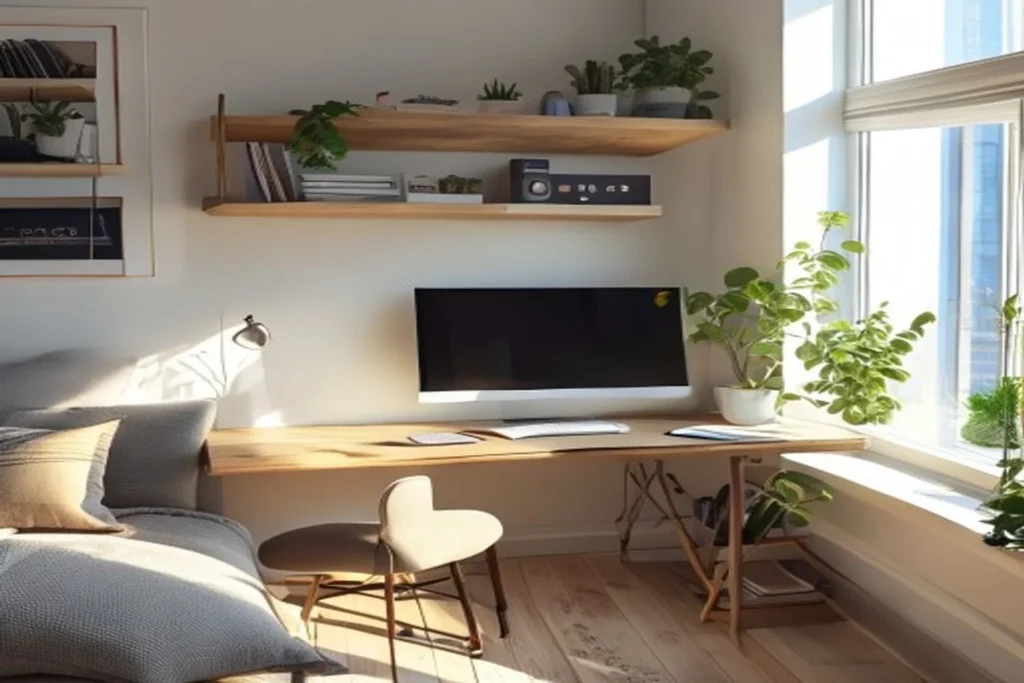
1) Floating wall desk
- Why it works: Traditional desks have legs that occupy floor space under and around them. Floating desks have none. The under-desk space stays fully open for the chair and storage.
- Ideal size: 40-50cm deep, 80-100cm wide for most setups. Enough for a laptop or monitor, keyboard, and one notebook.
- Common mistake: Going too shallow (under 35cm) which makes working uncomfortable.
2) Monitor arm or laptop stand
- Why it works: Monitor stands and built-in laptop stands eat a significant portion of usable desk surface. An arm mounts to the desk edge and lifts the screen completely off the surface.
- Bonus: Correct ergonomic height reduces neck strain significantly.
- Common mistake: Using a $10 fixed stand that doesn’t adjust to eye level.
3) Cable management box
- Why it works: Loose cables on a small desk create visual noise that kills focus.
- How to do it: Cable management box hides the power strip. Cable clips along the back edge of the desk route cables cleanly. Total time: 20-30 minutes.
- Common mistake: Buying cable management supplies and not using them within a week of buying.
4) One-in, one-out for the desk surface
- Why it works: Small desks have no room for gradual accumulation. Every object that lands on the desk needs to be there intentionally.
- Rule: Only what you use today is on the desk today. Everything else has a home somewhere else.
- Common mistake: Using the desk as the default landing zone for anything entering the apartment.
5) Standing desk converter (optional)
- Why it works: For long work days in small apartments, standing periodically reduces back strain without needing a full standing desk.
- How to choose: Converter that fits your existing desk footprint. Z-shaped design for the most stable option.
- Common mistake: Full standing desk in a small apartment, takes too much floor space for most setups.
6) Dedicated lighting
- Why it works: The lighting difference between working under general room lighting vs. a dedicated desk light is significant for focus and eye strain.
- How to do it: Desk lamp positioned to eliminate screen glare and light the keyboard area. For video calls, a ring light or a light source in front of you (not behind).
- Common mistake: Window directly behind you on video calls. The camera exposes for the bright background and makes you a silhouette.
Home office questions
What’s the minimum space for a functional home office?
80cm wide, 50cm deep: enough for a monitor, keyboard, and small notepad. The key is vertical storage for everything else.
How do I separate work and life when they’re in the same room?
Shutdown ritual: turn off the monitor, close the laptop lid, push the chair in. That physical act signals the end of work better than any amount of intention.
Is a separate keyboard worth it for laptop users?
Yes, especially with a laptop stand. The laptop goes up to eye level, the keyboard stays at elbow level. This posture is significantly better for long work sessions.
What’s the best chair for a small apartment home office?
Any ergonomic chair with lumbar support and adjustable height. For very small spaces, a task chair (no armrests) takes significantly less floor space than a standard office chair.
Do I need a second monitor?
For most work, no. One well-positioned monitor is more effective than two positioned awkwardly to fit. If you regularly have two windows side-by-side, a single ultrawide monitor is a better small-space solution than two separate screens.
Before you start
- ☐ Desk surface cleared to only today’s essentials
- ☐ Monitor or laptop at eye level
- ☐ Cables managed and hidden
- ☐ Dedicated lighting installed
- ☐ Chair at correct height (elbows at 90°)
Mistakes to avoid
- Too-small desk: the frustration of not having enough working space reduces productivity faster than any other factor.
- Cables ignored: visual noise on a small desk is disproportionately distracting.
- Chair as an afterthought: the most important investment in a home office setup.
Small detail, big difference
Put a small tray or basket on the floor next to the desk for “desk overflow.” Things that accumulate on the desk go there temporarily. Once a week, the tray gets emptied back to their permanent homes. This contains the accumulation without letting it take over the surface.
Six moves, one corner
A functional small home office is about system, not space. A floating desk, a monitor arm, cable management, and a strict surface policy turn any apartment corner into a workspace that actually works.